
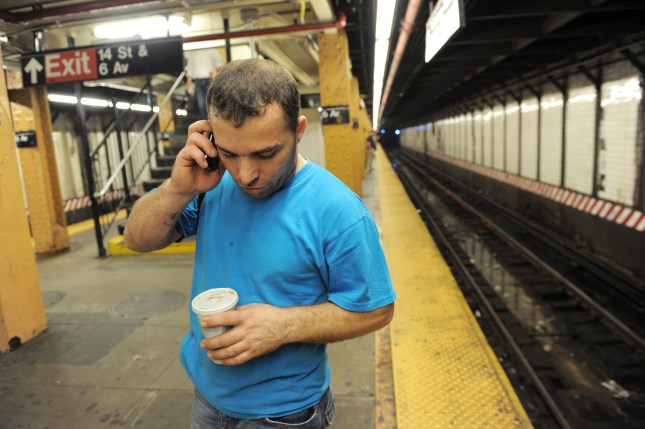
Never ask a wireless engineer working on the NYC subway system “What can go wrong?” Flooding, ice, brake dust, and power outages relentlessly attack the network components. Rats — many, many rats — can eat power and fiber optic cables and bring down the whole system. Humans are no different, as their curiosity or malice strikes a blow against wireless hardware (literally and metaphorically).
Serverless software deployment to the cloud, this is not.
New York City officially got wireless service in every underground subway station a little more than a year ago, and I was curious what work went into the buildout of this system as well as how it will expand in the future.
That curiosity is part of a series of articles I’ve written on an observed pattern known as cost disease, the massively inflating costs of basic human services like health care, housing, infrastructure, and education. The United States spends trillions of dollars on each of these fields, massively outspending similar nations for little and often even negative gain.
Despite the importance of reining in costs, experts are befuddled at the underlying causes of cost disease amid a laundry list of potential factors, including complicated procurement processes, labor rules, underinvestment in software, productivity gains in affiliated fields, environmental regulations, and the list goes on.
I explored a bit about health care, and the skyrocketing costs in that field, despite the fact that few people in the industry understand those costs at all. Activity-based costing appears to be one potential solution there that startups are pursuing. I also looked at California High Speed Rail and the massively spiraling costs of that boondoggle, as well as some of the startups trying to improve efficiency in that category.
This past week, I explored the challenges of what appears at first glance to be a relatively simple problem: how do you get wireless service in New York City subway tunnels? Cellular technology is hardly novel, and transit systems throughout the world have been able to modernize in some cases more than a decade ago.
While riders may desperately want their YouTube videos underground, the real value of such a system is for the business operations of the Metropolitan Transportation Authority (the MTA, which operates the NYC subway among other commuter rail and bus systems). Ticketing systems, arrival time indicators, emergency services, and other critical services are all run through this wireless system.
There is in fact a startup working on the problem, Transit Wireless. The company was formed in 2005 to respond to a request for proposals from the MTA and filled with veteran telecom executives. The authority rewarded the contract to Transit Wireless, which now holds a 27-year license to operate cellular service in the subway system.
William Bayne, the CEO of the company, explained that an important component of the contract was that the company couldn’t rely on taxpayer funding. “Our license requires us to design, build, own, operate, and finance the network,” he said. Transit Wireless raised its own equity capital to cover the costs of deploying the system, and generates revenues as the service provider over the life of the license. In fact, MTA receives a stream of revenue from Transit Wireless as well.
The company faced a number of challenges in building out the system. The first challenge was that the installation could not disrupt transit customers. Bayne said, “We had to figure out how to deploy network and equipment while minimizing disruption of the transit system itself.” That meant working overnight when labor costs are higher, and also placed the company at the mercy of the MTA’s maintenance windows to install network equipment.
Even more challenging was securing the right equipment. The NYC subway “is a 110-year-old system with low ceilings and lots of water, and it wasn’t designed to embrace a lot of electronics,” Bayne said. Wireless equipment “had to withstand all of these changes in environmental conditions: cold, heat, water, brake dust. Everything had to be passively cooled and fully-enclosed so it didn’t ingest any of the environment into the equipment.” That specialized, “mil-spec” equipment doesn’t come cheap.
As with the story of any infrastructure, particularly in New York, rolling out wireless connectivity to 282 active underground stations was anything but cheap. The final cost of the rollout was north of $300 million for Transit Wireless, a dramatic increase from early estimates which said that the project would cost “up to $200 million.” As a private entity spending private dollars, the company obviously had enormous incentives to hold down costs.
Perhaps more importantly for riders and the MTA itself, the timeline of the project ended up dragging. The first six stations in the system began offering wireless services in September 2011, about six years after the original contract signing. In the MTA’s announcement, the remainder of the rollout was expected to happen “within four years,” but another six years would actually pass before all remaining underground stations got service around New Year’s Day 2017. In all, it took about twelve years from contract signing to project completion.
While the costs and time required to build out the network were significant, Transit Wireless believes that the infrastructure it has built will stand the test of time. It designed the system to be “future-proof” by installing a fiber optic backbone with significantly more capacity than needed to handle whatever new technology might come, such as 5G wireless services. It also built a series of five data centers that act as data infrastructure hubs for the subway system, potentially lowering the cost of offering new services in the future.
The company, whose network spans much of New York City, hopes to be a core provider of smart city services in the future. Bayne envisions a world where real-time information about transit systems could be fused together, giving consumers access to smart transportation solutions — think connecting Uber and Lyft to smart bikes, parking meters, and the subway system to create a seamless, adaptive transportation system.
In addition to the smart city initiatives, Transit Wireless obviously is eyeing the tunnels as one of the most important infrastructure challenges going forward. Given the age of the tunnel construction, they are much narrower than the engineering standards used today for modern transit systems. In some cases, installed equipment has to fit within just a handful of inches of space lest a moving train rip the equipment right off the wall. “We have to be extremely precise on how we deploy equipment in there to be very precise to stay within those clearance envelopes,” Bayne said.
Currently, the company is offering a pilot demonstration of tunnel service on the shuttle between Times Square and Grand Central Station, which launched in December.
The lessons of the rollout are ultimately a question of desires from transit customers (who also happen to be voters) — how badly do we want new infrastructure, and how much are we willing to be inconvenienced to get it? We can’t have nice things today and also want no schedule changes in a system that operates 24/7 every day of the year. Unless we as transit riders say loudly and clearly “inconvenience me today for a better tomorrow,” keep expecting the same compromises to happen.
Comments
Post a Comment