

Not to be outdone on the Galaxy S7 and S7 Edge leaks that were all over the Internets yesterday, Samsung has published an official launch website for its forthcoming pair of flagships — which includes a new promo video for the S7 Edge with some heavy hints about features, along with some general themes Samsung is pushing for the S7 line. The company’s previous teaser video for the S7 focused on its Gear VR platform.
So what additional details can we glean? In the new video (embedded at the end of this post) — titled “Get Ready for the #NextGalaxy” — a handset that might well be the S7 Edge is shown getting heavily rained on, so check the box for water resistance/water-proofing…
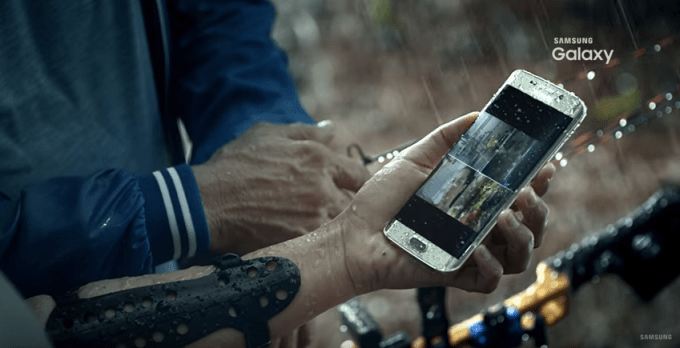
Despite the 2014 Galaxy S5 sporting water resistance, last year’s S6 flagships were not officially water resistant; Samsung reserved that feature for another handset, the Galaxy S6 Active. Boo-hiss! But it looks like the company has had a change of heart and will be bringing water-resistance back to its flagship line. Or at least to the S7 Edge. Let’s hope so.
The promo video also shows an unnamed device strapped to the arm of a runner — Indonesian archer, Dellie Threesyadinda — and being used in conjunction with Samsung’s Gear S2 smartwatch to monitor heart rate, so fitness unsurprisingly remains a core focus. Albeit that’s been true of Samsung’s flagships since at least the S5, which came with a built in heart-rate monitor.
Another feature briefly flagged by Samsung in the video is wireless charging — albeit the company built that into its S6 flagships last year, and has offered support for wireless charging via optional accessories for several generations of its flagship line, so nothing new to see here.
It’s more like Samsung hoping to finally get people excited about a feature that has failed to excite folks for years now…
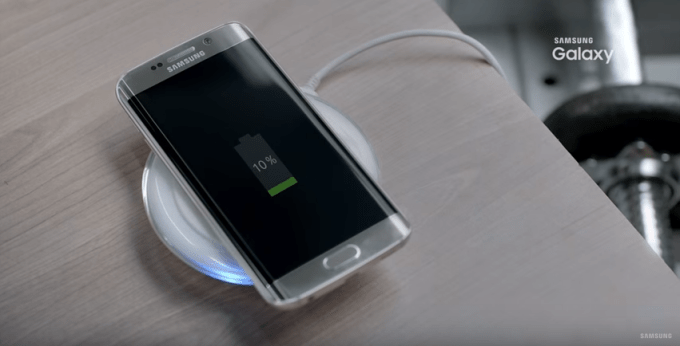
Frankly speaking, current gen wireless charging is a roundly uninspiring technology. Charging technology that still requires you to place a device onto a charging pad is really no step up from having to plug in a device to charge it. When wireless charging works over the air, without any need for charger pads, then it will finally be a tech upgrade worth having. But we’re not there yet.
Samsung’s promo video ends with a camera-related shot of the incoming device. Since smartphones are far more frequently used to snap pictures nowadays vs time spent being used as an actual telephone that’s entirely as you’d expect. Phones should really be renamed pocket cameras.
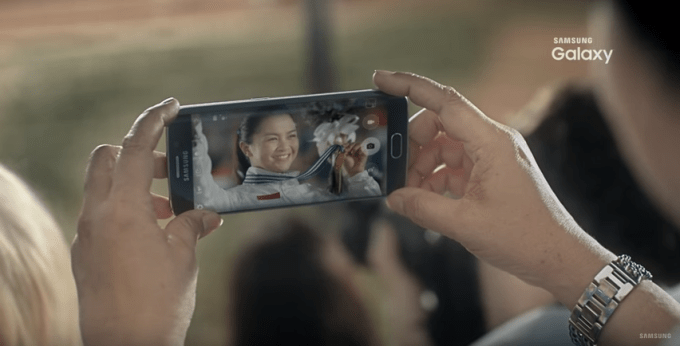 One of the teaser slogans on the Samsung website — “bring light to the night” — also includes a close up shot of a camera lens, suggesting further low light camera enhancements are incoming to the S7 line. This is also to be expected, given that trying to squeeze ever better performance out of (relatively) tiny camera sensors has been an ongoing preoccupation of smartphone makers in recent years.
The other Samsung S7 teaser slogans are a little underwhelming, including the awkwardly worded “worry-less discovery”, which looks to be a reference to the aforementioned waterproofing feature.
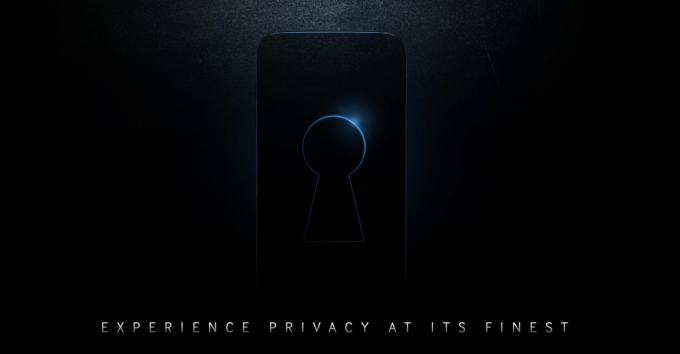
There’s also the strangely worded “experience privacy at its finest”, which suggests Samsung might be taking a leaf out of Apple’s public pro-privacy stance. Which would be more interesting. Or it might be a ref to Samsung’s long-standing Knox security platform. We’ll find out more on Sunday when the company does its official unboxing.
Judging by yesterday’s S7-related leaks Samsung is not doing any kind of major redesign for its new flagships. So the unnamed handset shown in the video could just as plausibly be the S6 Edge as the S7 Edge, albeit the intention is clearly to showcase features incoming in the next generation models.
What don’t we see being flagged up in this latest promo? There’s no sign of the slated pressure-sensitive screen. Nor an SD card slot, removable battery or USB-C charger port. But the latter sort of techie details aren’t how any company sells to the mass market so that’s also to be expected. Still, hardcore Android fans should probably steel themselves to be disappointed that Samsung might not have had a rethink on bringing user expandable memory back after all.
And if Samsung is spending promo video time flagging up tired old wireless charging vs highlighting faster charging via USB-C, well, that faster charging rumor might not come to pass either. Either way, it’s not long to wait for official confirmation.
TC will be on the ground at Samsung’s press conference in Barcelona on Sunday evening to get hands on with the new kit so stay tuned.
Comments
Post a Comment