Google Announces Android Wear Update With WiFi Support, Always-On Apps, And More

It has been a while since Android Wear got any substantial updates, but today Google is announcing a big one. A new version of Wear will be rolling out over the coming weeks that includes a number of previously rumored features (like WiFi support) and some all new stuff (like always-on apps).
alwayson_500
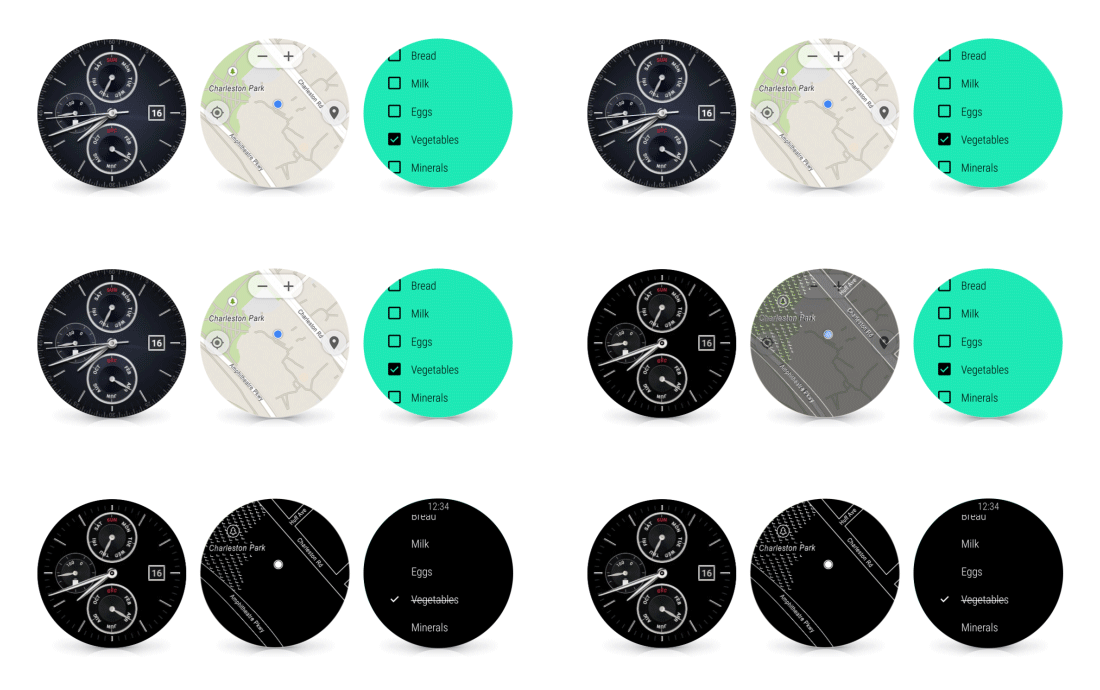
Most Wear devices use the always-on ambient mode for the watch face by default, the Moto 360 being a notable exception. The new Android Wear version allows apps to operate in ambient mode too, so they remain active when the watch goes to sleep. That makes it easier to take a quick glance at the app instead of waking the device up and opening the app all over again. The watch will still only go into full-color mode when necessary.
WiFi support is also coming in the update, which means your watch can be useful even if your phone isn't connected. Watches with WiFi support will be able to connect to WiFi and still get messages and notifications from your phone, provided it has an internet connection wherever it is.
quick2_emoji_reply_blog apps_people_actions_250x250 (4)
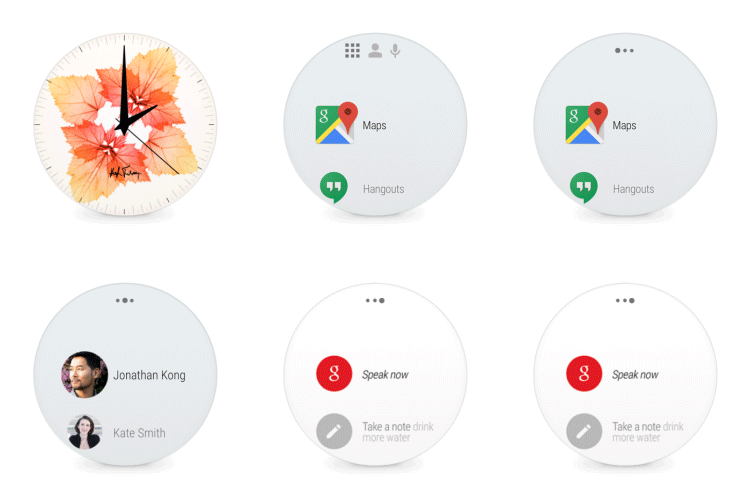
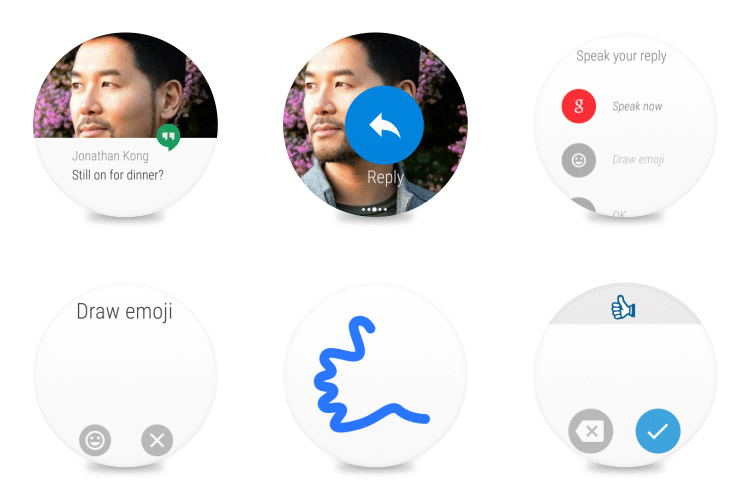
The watch face tap behavior is changing in this update too. Now you'll get three columns when you tap—apps, contacts, and voice search. You can still use the hot word to get voice search up immediately, though. When replying to messages, you have a new option to draw emoji, and the watch will figure out what you mean, or so Google claims. I don't know if I believe that, but it's a thing.
wristgesture_500
Finally, there's gesture scrolling in the new version of Wear. Simply flick your wrist to scroll through the stream. It's not clear if this will work in apps or just in the main Wear UI. You'll be able to use this and all the other new features on all Android Wear devices when the update hits. The rollout should be done in a few weeks, but you might be able to sideload before that. Google didn't say what version this would be, but I'd assume it's a 5.1 build of some sort.

Comments

Popular posts from this blog

Intel announces the first 14 nanometre processor

At the Computex conference in Taipei, chipmaker Intel has revealed a fanless mobile PC reference design using the first of its next-generation 14nm "Broadwell" processors. The 2 in 1 pictured here is a 12.5" screen that is just 7.2 mm thick with keyboard detached and weighs 670 grams.  The Surface Pro 3  – for comparison – is 9.1 mm thick and weighs 800 grams. It includes a media dock that provides additional cooling for a burst of performance. The next-generation chip is purpose-built for 2 in 1s and will hit the market later in  2014 . Called the Intel Core M, it will be the most energy-efficient Intel Core processor in the company's history with power usage cut by up to 45 percent, resulting in 60 percent less heat. The majority of designs based on this new chip are expected to be fanless, with up to  32 hours of battery life,  offering both a lightning-fast tablet and razor-thin laptop. Intel is also delivering innovation and performance for the ...

Use Cortana to define words for you in Windows 10

Microsoft’s Cortana has many uses including sending emails or checking the weather. One of the best uses though is a simple look-up feature for words and their definitions. Combined with the Hey Cortana voice recognition using Cortana to tell you quickly what a word means is a great hands-free tip. There are multiple ways to get Cortana to define a word. If you have Hey Cortana enabled you can simply blurt out your request: “Hey Cortana what is the meaning/definition of  inchoate ?” “Hey Cortana define  ubiquitously “ You can, of course, also just type in your request e.g “ define beatitude ” although this admittedly takes some of the speed (and fun) out of using the personal digital assistant. For many words, Cortana displays the definition within a card, and OxfordDictionaries or EncartaDictionaries powers it. Sometimes, if Cortana misunderstands you or does not have the definition, the assistant opens up a web page after performing a web search for...

Uber, Google and other tech employees form Coalition of Black Excellence

When black employee resource groups from a variety of tech companies come together, black magic happens. More specifically, black excellence happens. The Coalition of Black Excellence Week, spearheaded by Uber Litigation Counsel Angela Johnson in collaboration with black ERGs from over 40 tech companies like Facebook, Google, eBay, Lyft and Microsoft, kicks off this Monday in the San Francisco Yay (Bay) Area. The idea for CBE Week came in part from Johnson’s experiences living in Washington D.C., and being able to attend events put on by the Congressional Black Caucus, she told me at Uber’s headquarters this week. “When I moved out to the Bay Area, I really wished there were similar types of experiences for tech,” Johnson said. “And I thought if we could bring together different black ERGs, or diversity and inclusion committees, or people who were interested in some of the issues the black community is passionate about, a lot of positive change and impact could come from that....

IT Where Tech

IT Where Tech is a start-up technology provider from Pondicherry they provide Responsive web design ,Ecommerce design,Graphic Design CMS Websites,Logo Designs, Digital Marketing and Billing software