
The legal tussle between Apple and the FBI over a locked iPhone, and the security weakening measures the security services want the iOS maker to take to help it extract data on the device, has now attracted comment from the UN’s commissioner for human rights.
Representatives for both sides of the Apple vs FBI argument were called to Congress earlier this week to give testimony in a hearing entitled “The Encryption Tightrope: Balancing Americans’ Security and Privacy” — which has led to some bizarre claims from the pro-unlocking camp as they seek to justify forcing Apple to create a less secure version of iOS.
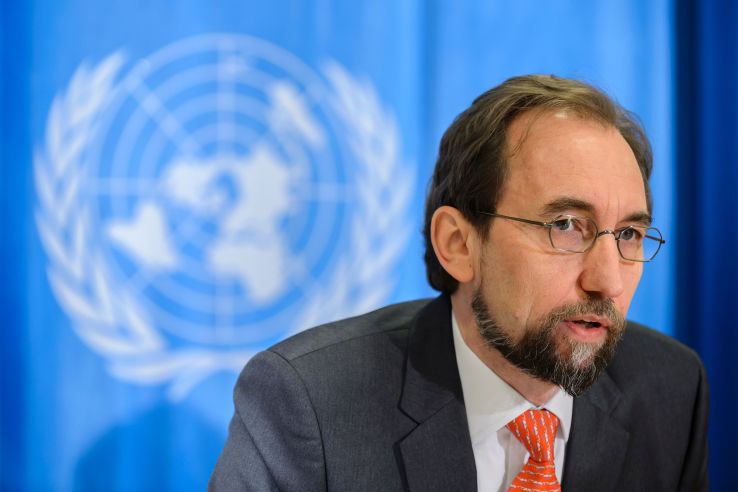
Weighing into the debate today on Apple’s side of the argument, with a robust public statement in support of encryption, the UN’s Zeid Ra’ad Al Hussein argues that privacy is a pre-requisite for security, and calls for clear red lines to protect personal data in the digital age.
The outcome of the Apple vs FBI case could have negative ramifications for the humans rights of people across the world if the FBI prevails in forcing Apple to weaken the security of iOS, he writes, warning that such a step could be “a gift to authoritarian regimes”.
“In order to address a security-related issue related to encryption in one case, the authorities risk unlocking a Pandora’s Box that could have extremely damaging implications for the human rights of many millions of people, including their physical and financial security,” says Al Hussein.
“I recognize this case is far from reaching a conclusion in the US courts, and urge all concerned to look not just at the merits of the case itself but also at its potential wider impact.”
The commissioner argues the case boils down to determining “where a key red line necessary to safeguard all of us from criminals and repression should be set” — countering the notion it is merely about unlocking one iPhone used in a terrorist incident, as the US government has tried to suggest.
“There are many ways to investigate whether or not these killers had accomplices besides forcing Apple to create software to undermine the security features of their own phones,” he writes of the San Bernardino terrorists, one of whom used the phone in question as a work device. “This is not just about one case and one IT company in one country. It will have tremendous ramifications for the future of individuals’ security in a digital world which is increasingly inextricably meshed with the actual world we live in.
It is neither fanciful nor an exaggeration to say that, without encryption tools, lives may be endangered.
“A successful case against Apple in the US will set a precedent that may make it impossible for Apple or any other major international IT company to safeguard their clients’ privacy anywhere in the world. It is potentially a gift to authoritarian regimes, as well as to criminal hackers. There have already been a number of concerted efforts by authorities in other States to force IT and communications companies such as Google and Blackberry to expose their customers to mass surveillance.”
The commissioner goes on to flag up the widespread global use of encryption tools — such as by political dissidents, journalists and human rights defenders — arguing that encryption and anonymity are vital “enablers of both freedom of expression and opinion, and the right to privacy”.
“It is neither fanciful nor an exaggeration to say that, without encryption tools, lives may be endangered. In the worst cases, a Government’s ability to break into its citizens’ phones may lead to the persecution of individuals who are simply exercising their fundamental human rights,” he continues, adding: “There is, unfortunately, no shortage of security forces around the world who will take advantage of the ability to break into people’s phones if they can.
“And there is no shortage of criminals intent on committing economic crimes by accessing other people’s data. Personal contacts and calendars, financial information and health data, and many other rightfully private information need to be protected from criminals, hackers and unscrupulous governments who may use them against people for the wrong reasons. In an age when we store so much of our personal and professional lives on our smart phones and other devices, how is it going to be possible to protect that information without fail-safe encryption systems?”
Al Hussein concludes that the core of the issue is a question of proportionality, arguing that the security services’ hope to gain extra information about one “dreadful crime” must be weighed against the risk of “enabling a multitude of other crimes all across the world”.
“The debate around encryption is too focused on one side of the security coin, in particular its potential use for criminal purposes in times of terrorism. The other side of the security coin, is that weakening encryption protections may bring even bigger dangers to national and international security,” he adds.
Comments
Post a Comment