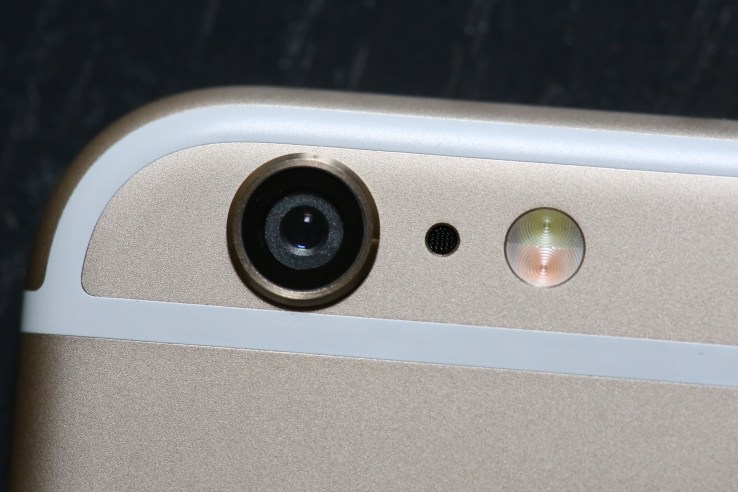
Apple’s ‘Shot On iPhone 6′ Campaign Expands With New User Films


Apple’s ‘Shot on iPhone” campaign is probably something you’re already familiar with, given the ubiquitous presence of billboards, print and transit ads created using iPhone 6 user photos. But what you haven’t seen that much of, until today’s expansion of the iPhone World Gallery, are examples of what users can capture with built-in iPhone 6 video camera tools (helped along with additional apps and accessories).
Now, seven videos have been chosen to appear in the iPhone World Gallery on TV, in theatres, in rich media web ads and on Apple.com. The selected clips are brief, but show what you can do using things like slo-mo, time-lapse and the built-in video stabilization Apple created to make smooth capture possible even without a tripod or fancy and expensive stable cam mount.
Some, like the one above documenting a Chicago “L” train ride and captured with Instagram’s Hyperlapse, used third-party apps to achieve their effects, but others, like the one below featuring a sparrow eating some food from the shooter’s hand, employ only native Camera app features on iPhone 6 like slo-mo.
This one from Instagram user Cielo de la Paz employs an Olloclip macro lens add-on accessory, which is a tool I also use pretty often in my personal iPhone photography. The point (well-made) is that it’s not just Apple’s own device, but also the software and accessory ecosystem that surrounds them that provides a unique advantage when it comes to creative mobile photographic pursuits.
Other clips use the iPhone 6, 6 Plus, and iMovie combined with the native camera app, and document a range of different things. You can check them all out below.
This whole campaign does a great job of emphasizing one of the device’s core strengths, while also generally enriching the spaces in which it appears, highlighting quality image and video captures from actual users that also, as a result of their origin, don’t necessarily suffer from the same invisibility or annoyance problems that can plague display and digital advertising.

Comments

Popular posts from this blog

The EHang 184 Is A Human-Sized Drone Taking Off At CES

We’ve seen some pretty cool stuff on day 1 of CES 2016, but probably nothing more eye-catching than the EHang 184, a human-sized drone built by the Chinese UAV company  EHang . Yes you heard right — a giant autonomous drone that fits a human. It’s basically what you would expect to see if someone shrunk you down to the size of a LEGO and stuck you next to a DJI Inspire. Except no one was shrunk, and the giant flying machine was sitting smack in the middle of the CES drone section. EHang, which was founded in 2014 and has raised about $50M in venture fundingto date, was pretty gung-ho about telling everyone at CES that the 184 was the future of personal transport. And for the most part, people were too in awe to question them. But the reality is that the company probably was using the 184 as more of a marketing tool for their standard-sized drones like the  Ghost . Not that we’re saying that the 184 will never be a real thing, just that it probably isn’t co...

Western Union Brings Money Transfer And Its Tricky Fees To Chat Apps

Remittance has always been a shady business. Migrant workers need to send money they earn home to their families, but get hit with fine print fees so less cash comes out the other side than they might assume. Remittance companies earn extra by keeping the margin between their own made up exchange rate and the real one. Western Union is the best known remittance company, with 500,000 brick-and-mortar locations around the world. But tech startups like TransferWise, Azimo, and WorldRemit are gunning for the business. They hope to increase convenience and reduce fees to lure customers away from Western Union, Moneygram, and other old-school remittance providers. So  Western Union  is going digital thanks to partnerships with big messaging apps. It launched its Western Union Connect system in October last year, followed by a partnership with WeChat for sending up to $100. Now it’s getting into bed with  Viber , which has over 664 million “unique” users, thou...

Android Oreo vs iOS 11: What’s different and what’s the same?

Google just announced Android Oreo and it packs a handful of new features. Some are at the system level and speed up the system and extend the battery life, while others are features that will change the way users interact with their phone. A lot of these features should be familiar to iPhone and iPad owners. Normally Apple is the one accused of copying Android, but for Android Oreo, Google lifted a handful of features straight from iOS, while a couple of new functions are hitting Android before iOS.                                                                                                                     Notifications Google cribbed iOS for Android’s new notification scheme. In An...

Following Patent Deal, Every Time Apple Sells An iPhone, Ericsson Gets A Bit Of Money

Telecommunications infrastructure company Ericsson just  announced  that it has reached an agreement with Apple over an ongoing patent dispute. For the next seven years, Apple will pay a fraction of its iPhone and iPad profit to Ericsson in royalties. Back in February, Ericsson filed suits in many different jurisdictions for patent infringement (the International Trade Commission, the U.S. District Court for the Eastern District of Texas, the U.S. District Court for the Northern District of California, as well as courts in the U.K., Germany and the Netherlands). According to the Swedish company, Apple has been violating 41 patents over the past few years with its iPhone and iPad, in particular patents related to GSM, UMTS and LTE technologies. As expected, the two companies have reached an agreement and Ericsson is dropping all of its lawsuits. Today’s news isn’t particularly surprising as Ericsson holds more than 35,000 patents. Many of them are related to wireles...

Google Calls Out EFF Over Bogus Claims That It Snoops On Students With Its Chromebooks

The Electronic Frontier Foundation (EFF) caused quite a stir this week when it alleged that Google is using its Chromebook platform, which has made a significant impact in the education sector, to snoop on students. The charges were damning, with the EFF claiming that Google was violating its own corporate policies and using students’ personally identifiable browsing data/habits to refine its services, in addition to sharing that data with partners. "EFF bases this petition on evidence that Google is engaged in collecting, maintaining, using, and sharing student personal information in violation of the 'K-12 School Service Provider Pledge to Safeguard Student Privacy' (Student Privacy Pledge), of which it is a signatory,” alleged the EFF in its initial FTC complaint. Google takes such allegations very seriously, and has thus responded to every claim brought forth by the EFF. “While we appreciate the EFF’s focus on student data privacy, we are confid...